
About This Generator
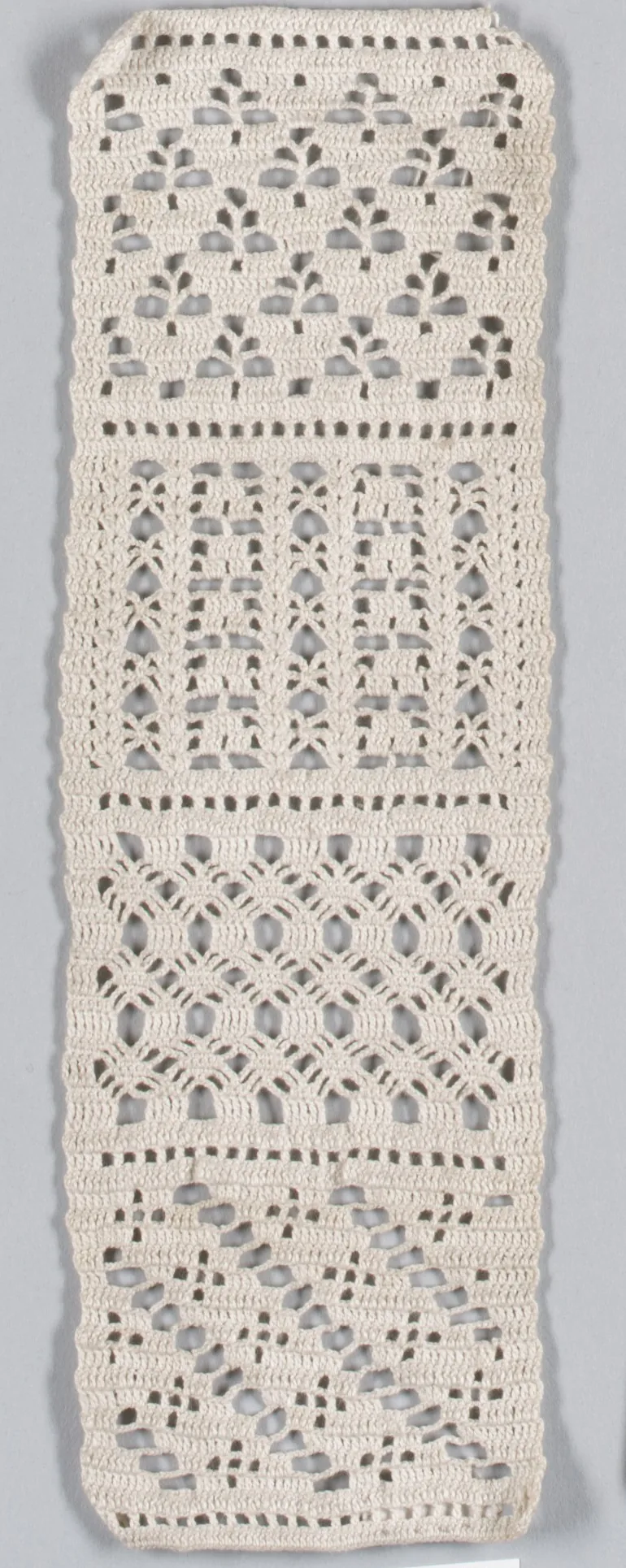
The Stitch Sampler Generator arranges different stitches or structures into consecutive horizontal zones without losing track of the row width. It is useful for a learning swatch, a texture comparison panel, or a planned blanket strip. Unlike the Stitch Pattern Generator's repeating unit, a sampler changes its structure over several rows. Beginners can start with the three basic zones; crocheters who recognize chain spaces and post insertion can use the custom plan.
How to Use This Generator
Set Width to the number of positions across the sampler and Height to the total number of rows. Sampler sequence selects the three basic stitches, four basic stitches, a six-zone rise and return, or a custom plan. Rows per texture zone controls preset zone lengths. In Custom mode, enter supported US codes with row lengths, such as sc:2,hdc:3,dc:2. The Custom zones field replaces the preset length control. The plan repeats when necessary and stops when Height is reached, even if that cuts the last zone short.
Yarn placement can keep one working color or change color by zone. Edit the swatches, choose terminology, and Generate. Read Written Pattern at every zone transition, especially when changing from chain spaces to solid stitches. Inspect the chart's source lines for shared bases and post stitches. Save project retains the settings in this browser; Export JSON preserves the custom plan for restoration. Export SVG keeps the diagram sharp at different scales. Print can use the browser's PDF destination for a record of the experiment.
Understanding the Crochet Pattern
A consistent number of positions does not mean every row consists of the same kind of object. A mesh row includes chain positions, and a completed cluster counts as one stitch even though it contains several partial posts. When the next solid row follows mesh, the generated instructions treat each old chain space as one receiving position. Post stitches surround an existing post instead of adding a second stitch into its top. Working both the post and its top would accidentally increase the width.
How the Generator Works
The preset planner expands each named zone into individual rows. Custom plans accept up to twelve zones, each with a supported structure code and a positive row length. Ordinary stitch zones place one operation in every old position. Mesh alternates sc with chains; cluster zones combine completed clusters with chains; shell zones use shared bases and skipped positions. Shells need a width of six times an integer plus one. Mesh and cluster need an odd width. A post zone must follow dc or another post row and must leave two plain edges around complete interior repeats. These checks prevent the planner from silently discarding positions.
Step-by-Step Worked Example
Choose Width 16, Height 9, Sampler sequence Three basic stitches, Rows per texture zone 3, and single-color placement. The first three rows use sc, the next three hdc, and the final three dc. The foundation is chain 17, with sixteen sc worked from the second chain. All nine rows contain sixteen positions, making 144 worked stitches in this basic example. The hdc and dc rows use the written chain height for their zones, with turning chains excluded from the count. Mark Rows 4 and 7 as transitions so you can compare the three fabrics after washing.
Download this worked example as JSON. Restore it in this generator to compare the actual counts and structure.
Practical Tips
Use the same yarn and hook throughout an initial comparison. Label the zones with removable tags rather than relying on height to remember which stitch you used. Measure the middle of each zone away from transitions. A taller zone can have a different width or elasticity despite an unchanged mathematical stitch count. For color studies, change yarn on the final pull-through indicated before the next zone begins.
Common Mistakes and Solutions
The custom sampler starts with unsupported openwork
Mesh, shell, and cluster zones need an established plain foundation. Check the first token in the plan, add a plain sc or dc zone where appropriate, and regenerate before beginning the swatch.
A post zone doubles some stitches
The hook may have worked both around a post and through its top. Identify the enclosed post in the previous row, undo the duplicate top stitch, and maintain one output position for each planned post operation.
The final zone seems incomplete
Height is a hard row limit. Add the row lengths in one plan cycle and compare that total with Height. Increase Height to a whole number of cycles if complete repeated bands are important to the design.
Second Reproducible Application
Use this comparison to check how one input changes the stitch sampler generator output. Enter width = 17; height = 9; samplerMode = legacy; zoneRows = 3; samplerColors = single. Keep any grid and color data from the downloadable worked example unchanged. Generate again and compare the result with the first example above. The resulting dimensions are 17 stitches × 9 rows. These depend on the entered block size, not a measured finished sample. This comparison was executed with the site's engine; it is a numerical construction check rather than a claim about physical gauge. Save both settings separately if you want to compare them later.
Related Tools and Guides
The Tools directory at /generators/ lists the available generators. Use the linked examples on this page to study the same construction with different inputs, and the Guides directory at /guides/ for supporting reading. Check terminology and measured gauge before combining output from different tools.
Frequently Asked Questions
Can I type UK codes in a custom zone plan?
Custom plan codes are canonical US identifiers. Keep codes such as sc and dc in the input, then switch the output terminology to UK for the written instructions and legend.
Does a longer zone require a different foundation?
Zone length changes the number of rows, not the receiving width. The first zone determines the initial foundation; later structures must still satisfy their own horizontal repeat rules.
Why is an odd width required for mesh?
The supported mesh alternates solid receiving positions with chains and finishes on a solid edge. An odd position count keeps both ends aligned with that construction.
Can I compare yarn consumption from the sampler alone?
The sampler provides stitch construction, not measured consumption. Measure yarn used in each washed zone if you need a material comparison, and keep those measurements separate from row counts.
Will a saved project preserve my custom sequence?
The JSON export retains the zone-plan parameter. Restore the exported file and check the zone labels before making changes; browser-local storage should not be your only backup.