
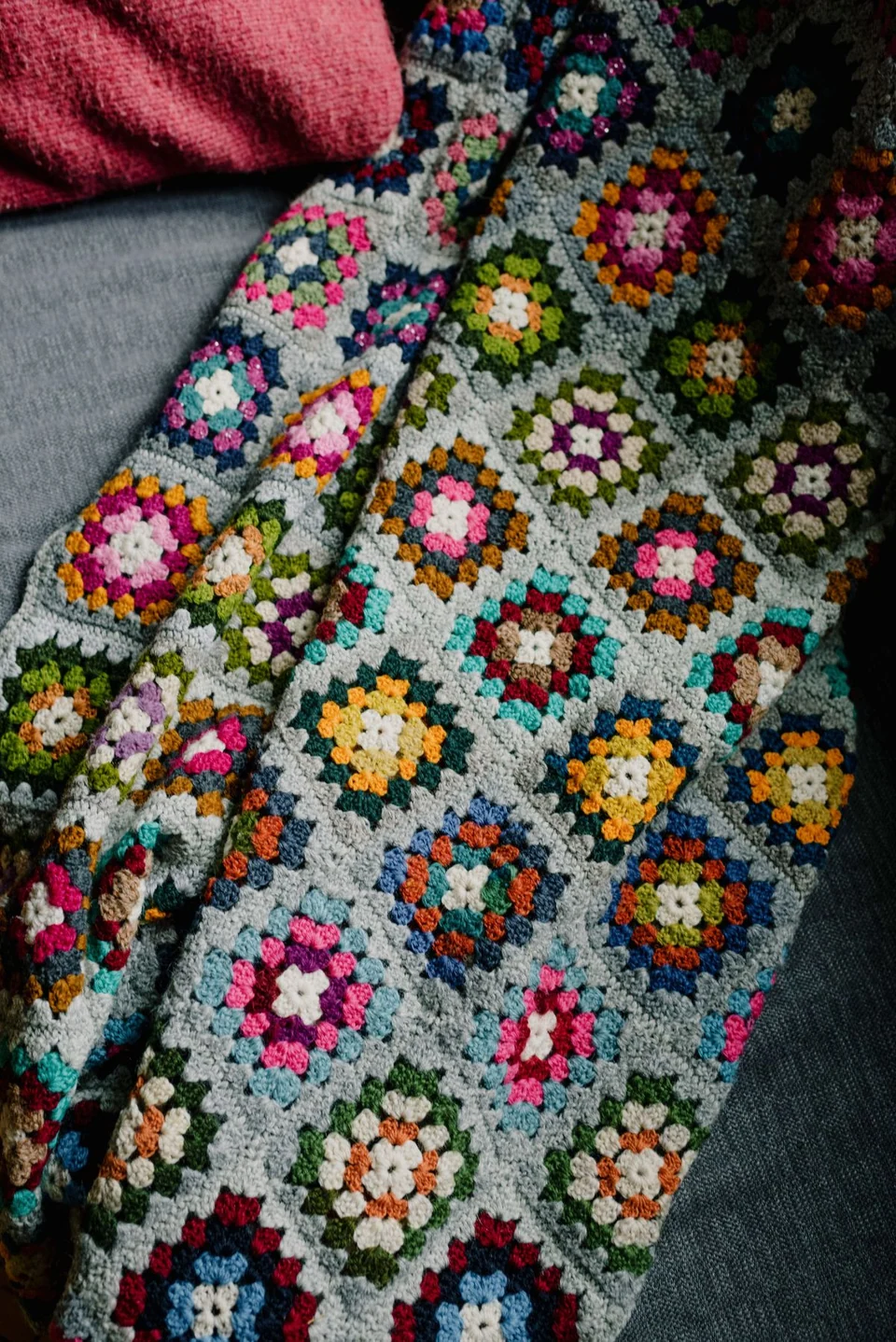
About This Generator
The Flower Granny Square Generator explores how a flower center connects to a square frame. It supports a radial flower and separate sewn flower constructions rather than treating every flower as a recolored ordinary granny square. Use it for a decorative block, an applique-centered panel, or a comparison of petal density. Beginners should first learn a joined round and a chain space; the more elaborate centers require careful reading of attachment and sewing instructions.
How to Use This Generator
Choose Center construction before adjusting the smaller controls. Radial flower uses the Petals, Petal construction, and Petal yarn placement settings. Petal counts are supported in groups of four: 4, 8, 12, or 16. Choose a three-post cluster or a puff, then choose one color for the petal round or separately attached alternating petals. The square-round control determines the surrounding frame depth. Separate rolled rose uses the Rose shell petals input and its own strip assembly; separate five-petal applique also has its own construction. Controls that do not apply to the chosen center are disabled.
Review the color swatches and terminology, regenerate, and compare the center's source points in Symbol Chart with Written Pattern. For a sewn center, read the assembly notes as well as the base square instructions. Stitch Preview is a structural reference, not evidence that the flower will fit a particular yarn. Export JSON to retain the construction choice, Export SVG for a scalable diagram, and use Print to keep the pattern and notes together. Save project stores a local working copy.
Understanding the Crochet Pattern
A completed cluster is one petal unit made from partial posts closed together. A puff uses drawn-up loops and a closing action; its internal loops are not counted as separate completed petals. Spacing chains create the receiving openings for the next round. The square frame needs four corners, so petal and gap arrangements must be distributed evenly around those corners. Corner chains are kept separately from the post count. A sewn rose or applique is an additional component, not another round worked directly into the base.
How the Generator Works
For the radial center, the engine builds a foundation ring, one petal unit per initial stitch, and a square-forming frame that consumes the selected spaces. The eight-petal version alternates corner and side spaces around four sectors. Counts distinguish initial stitches, completed petal units, and the later frame's actual posts. Additional square rounds add twelve posts per round in this supported structure. Different center choices generate different source maps and assembly records; the sewn variants do not reuse a radial petal count as if it described the finished attachment.
Step-by-Step Worked Example
Select Radial flower, 8 petals, Three-post cluster, one color for the petal round, and 1 border round. Begin with a magic ring and eight sc, joining to the first actual sc. Work eight completed clusters, each followed by a two-chain space. The frame uses four corner spaces and four intermediate side spaces. Its four corners each contain six dc, while the four side groups each contain three dc: twenty-four plus twelve gives 36 dc. Four corner chain spaces remain additional. Starting chains do not count as the first actual post in this construction.
Download this worked example as JSON. Restore it in this generator to compare the actual counts and structure.
Practical Tips
Choose a smooth yarn for the first flower so the closing loops remain visible. Keep petal closures firm enough to hold their shape without strangling the spacing chains. Lay the block flat after the flower-to-square transition and compare opposite corners. For sewn centers, measure the completed flower and blocked base before sewing; matching a displayed count does not establish physical fit. Catch the flower's base securely without flattening every petal top.
Common Mistakes and Solutions
The frame has the wrong number of corners
A side space may have received a corner group. Mark four intended corner spaces before starting the frame, compare them with the diagram, and undo to the first misplaced group rather than forcing a fifth corner into place.
Petal counts look much larger than the pattern total
Partial posts or puff loops may have been counted as finished units. Count the closed tops, then count spacing arches separately. Keep those two totals written beside the round number.
A sewn flower covers the entire square
The component and base gauges do not guarantee a match. Block both pieces, measure them, and adjust supported component or frame parameters before sewing. Avoid stretching the flower to manufacture an apparent fit.
Second Reproducible Application
Use this comparison to check how one input changes the flower granny square generator output. Enter rounds = 2; centerType = flower; petals = 8; petalType = cluster; petalPlacement = round. Keep any grid and color data from the downloadable worked example unchanged. Generate again and compare the result with the first example above. The resulting dimensions are 4 rounds; widest round 48 stitches. These depend on the entered block size, not a measured finished sample. This comparison was executed with the site's engine; it is a numerical construction check rather than a claim about physical gauge. Save both settings separately if you want to compare them later.
Related Tools and Guides
The Tools directory at /generators/ lists the available generators. Use the linked examples on this page to study the same construction with different inputs, and the Guides directory at /guides/ for supporting reading. Check terminology and measured gauge before combining output from different tools.
Frequently Asked Questions
Is every flower center worked directly into the square?
No. The radial construction is integrated through its spaces. The rose and five-petal alternatives use separate components with explicit attachment instructions.
Can I choose any petal count?
The radial mode supports 4, 8, 12, or 16 petals so its frame rules can distribute groups around four corners. Unsupported counts are rejected rather than rounded silently.
Are corner chains included in the dc total?
No. The frame's post count and chain-space structure are described separately. Count the actual dc tops and then verify that four corner spaces remain.
Will alternating petal colors make one continuous round?
The alternating option can require separately attached petals. Follow its fastening and attachment steps instead of carrying every color around the center without instruction.
Can I size a blanket from the displayed square alone?
Measure a washed block in the intended yarn and join method. Use that finished block measurement in the Blanket Layout tool; stitch counts do not directly provide centimeters.